Spooldoc 0.3.0: Word, Excel and the IFS
Word and Excel templates, the agent that designs them, an IFS destination, Carbone for every document, and connections that come back.
Spooldoc 0.3.0 is out. A job can now make Word and Excel files as well as PDF and HTML, and write them to a folder in the IFS, where programs on the IBM i can pick them up. Every document is rendered by Carbone. This release has breaking changes, so read Upgrading before you pull it.
What changed
Word and Excel templates. Next to HTML, a template can be a Word document with tags in its text, or an Excel workbook with tags in its cells. A Word template makes DOCX files, PDFs or both. An Excel template makes XLSX files, PDFs or both, by default one of the whole spooled file with a row per line. A job can have several templates, so one spooled file can become a PDF for the customer and a workbook for the office in the same run. Templates has the tags.
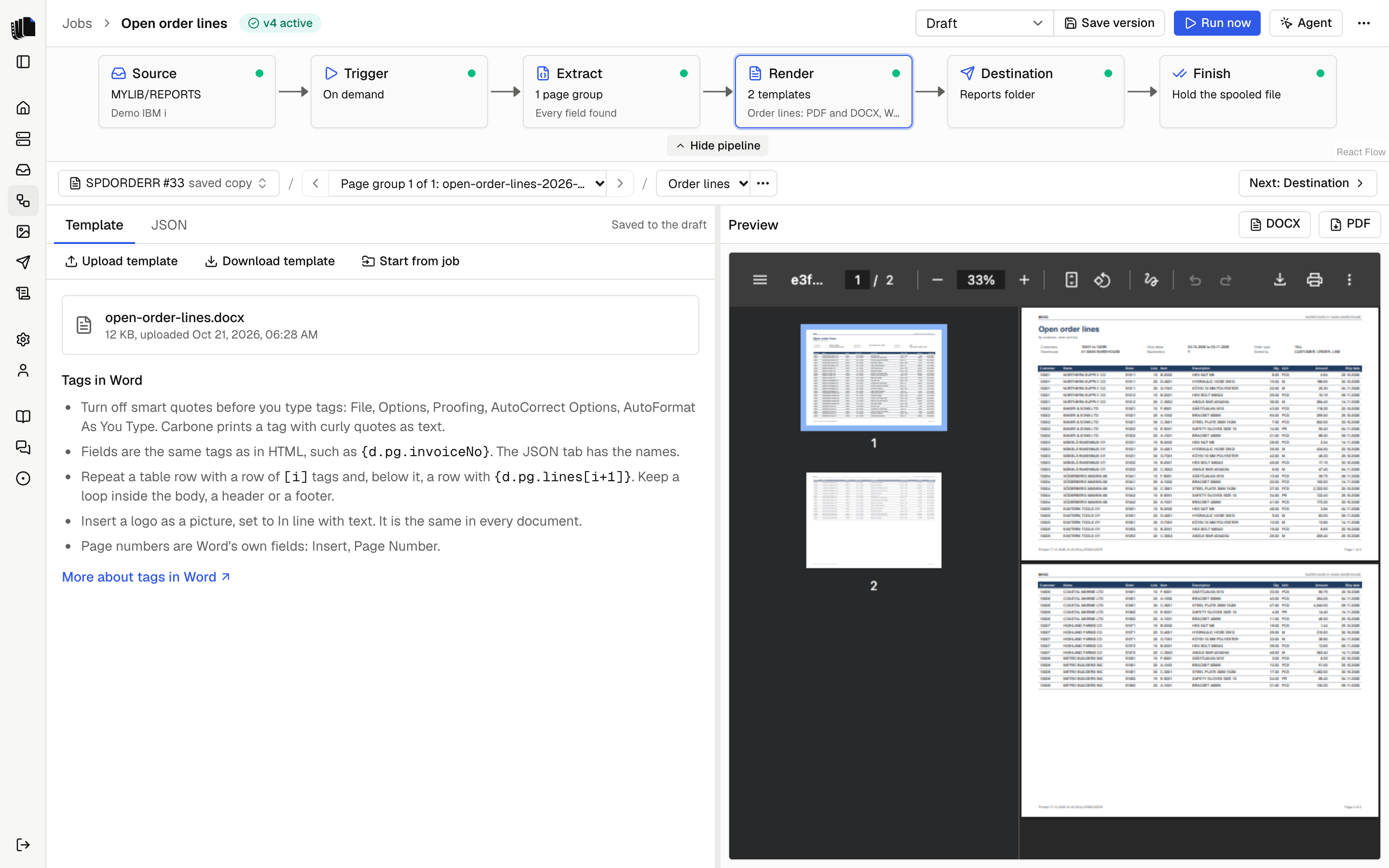
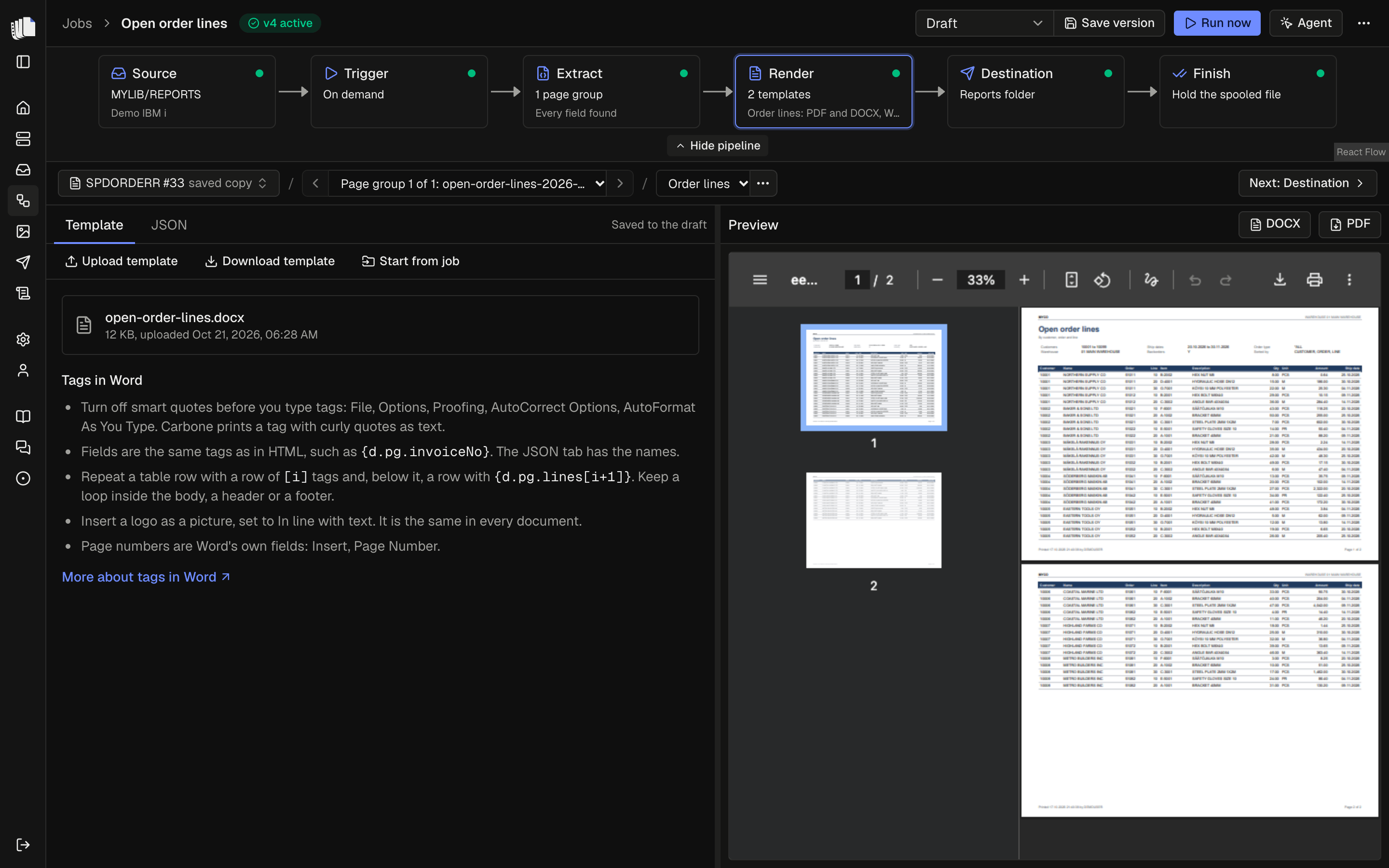
The agent designs Word and Excel templates. The chat beside the job builder is now called the agent. It asks which kind of template you want, then designs a new Word or Excel template from your prompt and the sample spooled file, or makes a new version of one you uploaded. Settings and the agent panel show how many tokens it used. Masking is now a setting, and it is off on a new install.
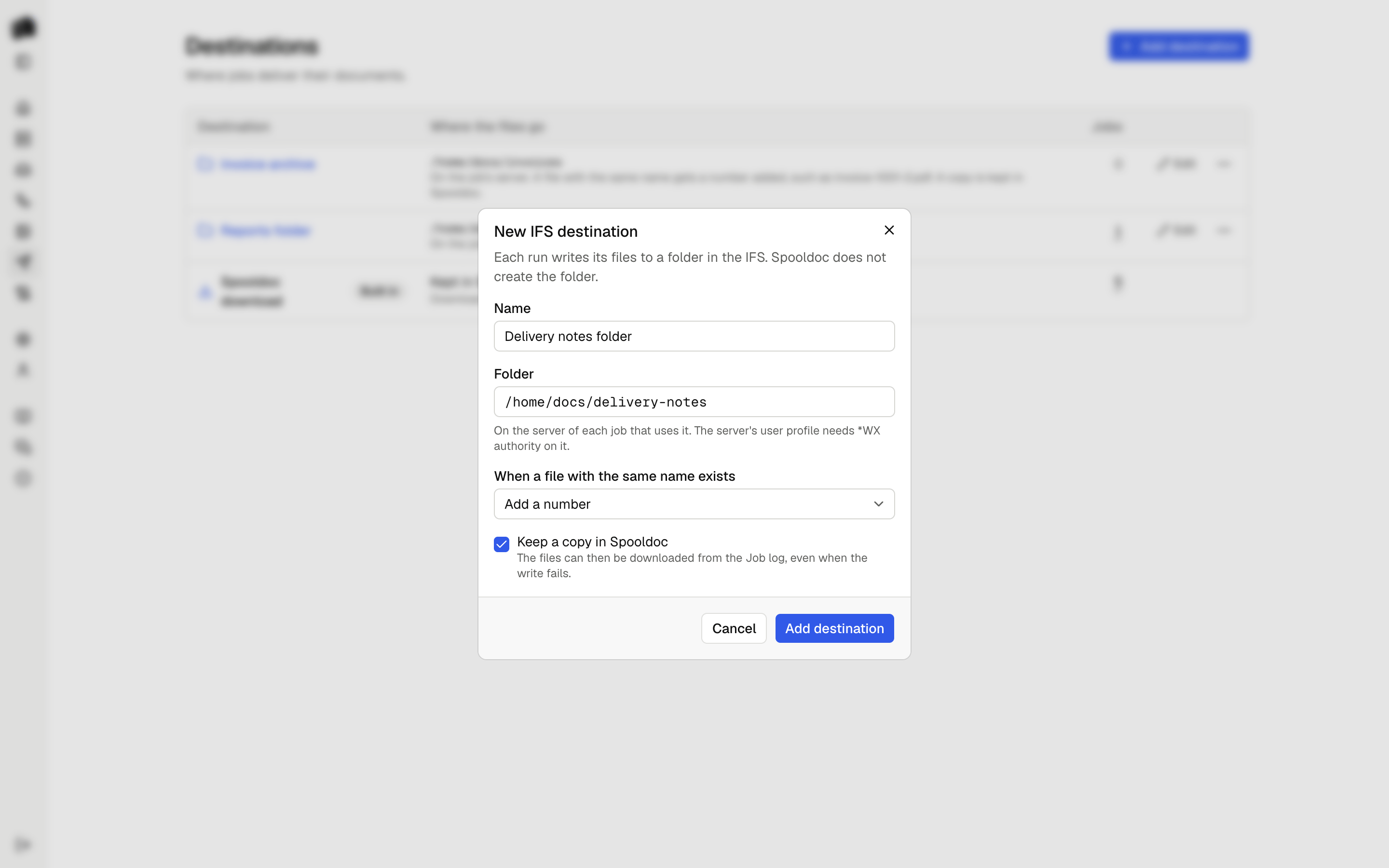
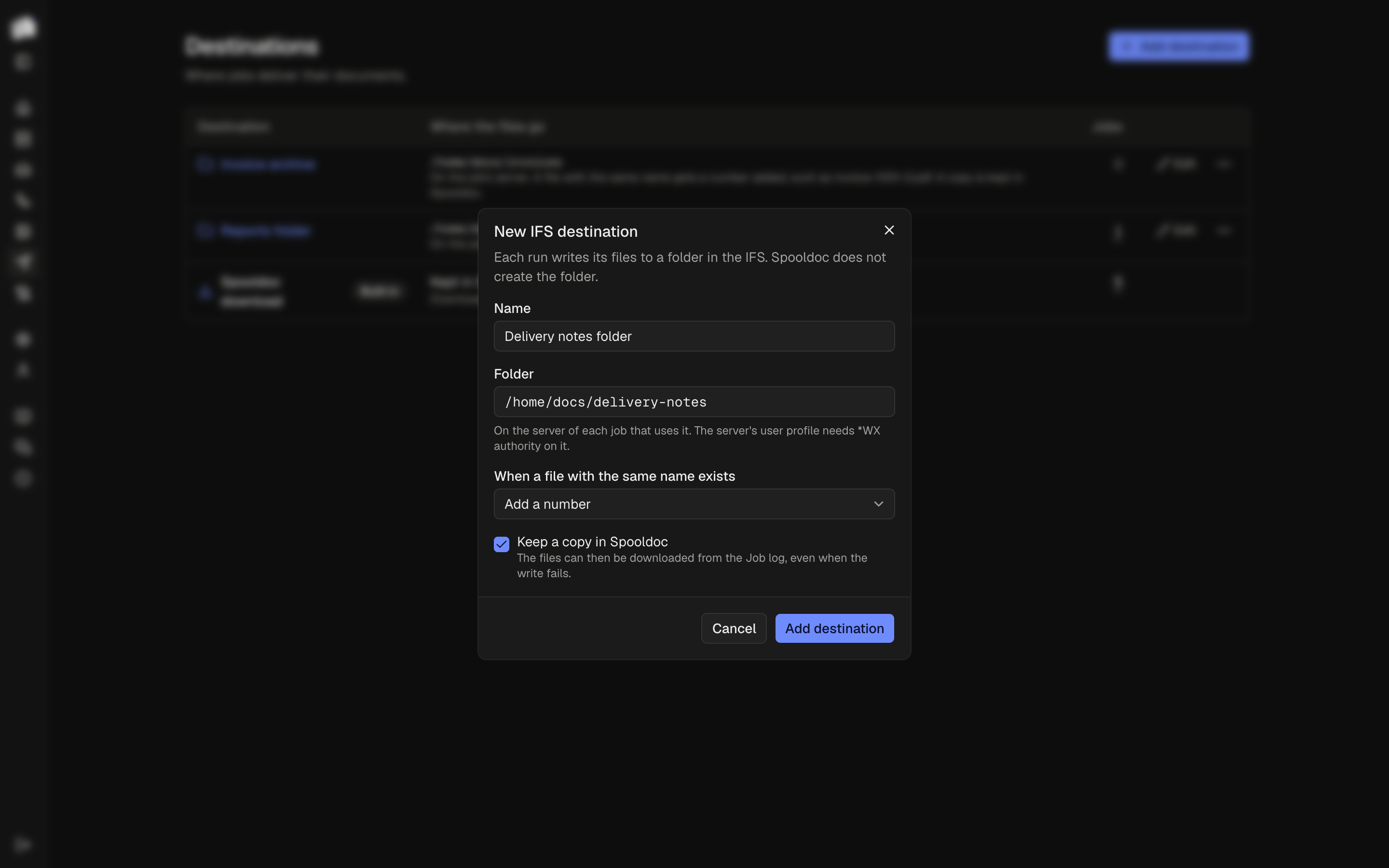
IFS destination. A job can write its files to a folder in the IFS on the server it reads from. You choose what happens when a file with the same name is already there: replace it, add a number, or fail the run. A file is written under a temporary name first and only then takes its name, so a program watching the folder never sees half a file, and no file is lost when a step fails. IFS folder has the details.
Shorter tags, and page groups. What 0.2.0 called a document is now a
page group: the pages of a spooled file that become one document.
Templates use Carbone tags, such as {d.pg.invoiceNo} for a field of the
page group and {d.pgs} for all of them.
Connections that come back. When the connection to the IBM i drops, Spooldoc reconnects, and the Servers page shows the connection's state. New spooled files wait while Carbone does not work, and are rendered when it does.
Finding your way. The sidebar is grouped, with a Profile page
and a menu on phones. Nested pages have breadcrumbs. The Queues and
Servers pages show the jobs of each queue and server, and each queue shows
how many files are ready and held. The job builder has Back and Next
between steps. The docs are in the app at /docs, and the Support group
links to them, to Discussions and to the issues.
All changes are in the release notes.
Upgrading
Take a pg_dump, then pull ghcr.io/strom-capital/spooldoc:0.3.0 and
start it. The server applies the new migrations, and every job and version
from 0.2.0 opens again, its template now the job's first template. Two
things need you:
- Run Carbone. Add the
carboneservice from compose.yaml. Then copy the public key from Settings, under Rendering, intoCARBONE_AUTHENTICATION_PUBLIC_KEYin.env, rundocker compose up -d carboneand click Check again. Carbone has the steps. - Rewrite Nunjucks tags. Templates and file name patterns written for
0.2.0 use Nunjucks, such as
{{ doc.invoiceNo }}. Rewrite them as Carbone tags, such as{d.pg.invoiceNo}. Each job's Template tab lists what is left, and the definition check names a file name pattern that still has it. Until then, a run of the job fails with the same message. Save the job as a new version once both are rewritten.
In XML definitions, xml.document: is now xml.pageGroup:. The upgrade
renames it in the definitions saved in Spooldoc. Rename it in any copies
you keep elsewhere. From 0.2.0 has the
steps.
Tell us
Questions go to Q&A, ideas to Ideas, bugs to the issues. If the upgrade from 0.2.0 leaves a job that does not open or run, please tell us what it said. Replace real host, user and library names before you paste it.
The 0.3.0 release is on GitHub, and so is the announcement.
All changes in 0.3.0 are in the changelog.